The Complete Recording Solution
Purpose-built hardware and software that transforms how studios capture, manage, and deliver video content.
Core Capabilities
Four pillars that make SyncVV the standard for professional studios
Real-Time 4-Channel Recording
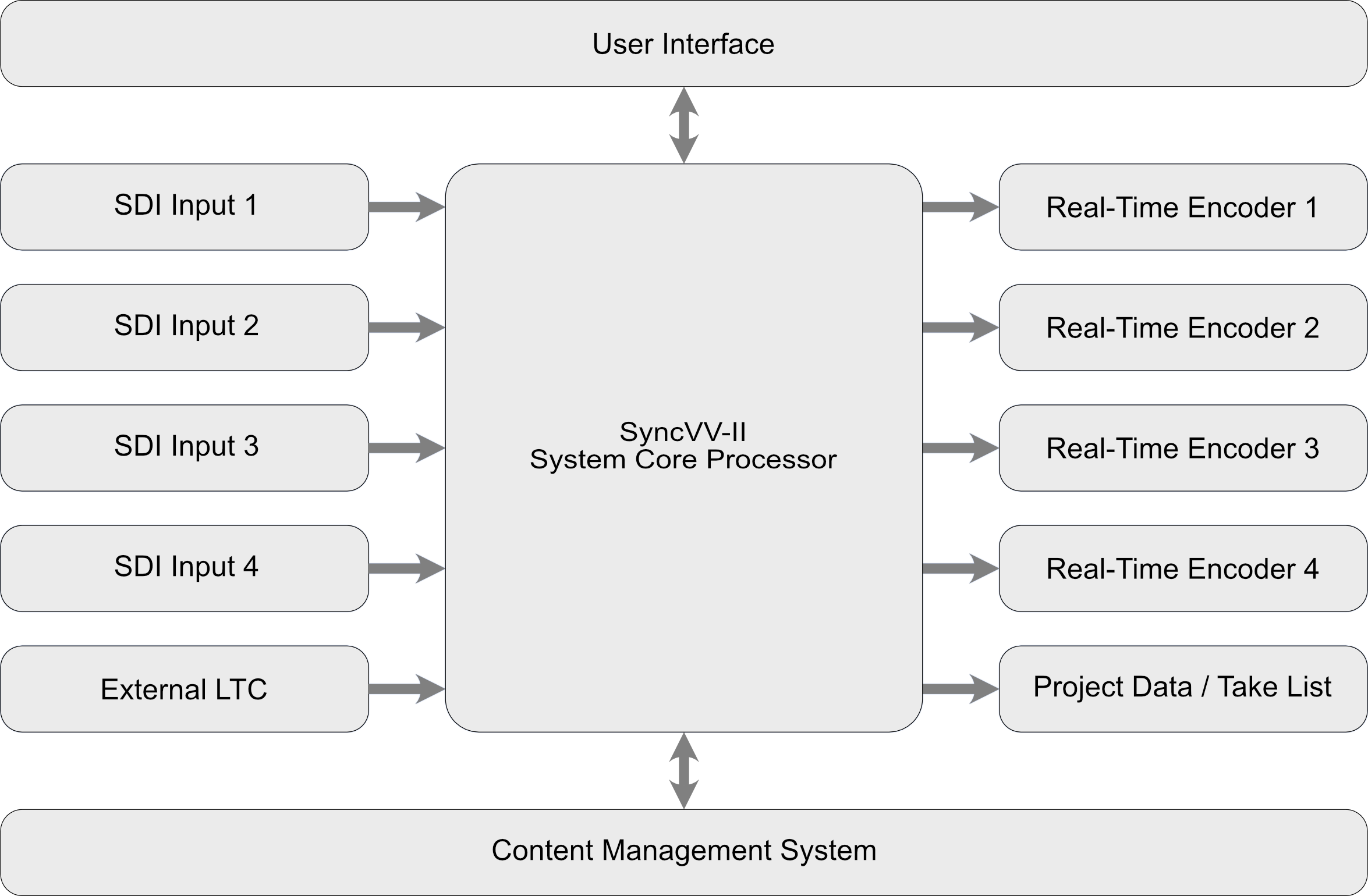
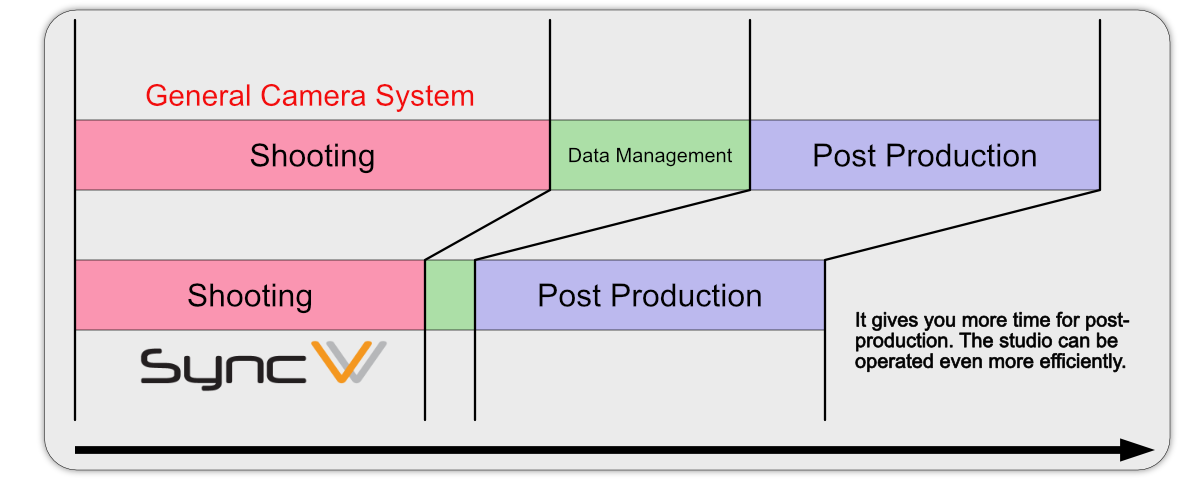
SyncVV converts SDI input to MP4 files with H.265 encoding in real time across four independent channels. Video material is ready for post-production just seconds after recording stops, eliminating the lengthy ingest process that traditional recording systems require. Whether you are working with synchronized or asynchronous SDI signals in mixed video formats, a single SyncVV system handles it all, significantly reducing overall equipment costs.
Automated Take Management
SyncVV integrates directly with Vicon Shogun to automate take naming, metadata capture, and project organization. Take information is synchronized with your volumetric video shooting system automatically, so take names match perfectly across every system in your pipeline. This means you can move into post-production the moment a shoot wraps, without spending hours manually sorting and renaming footage.
No More Frame Alignment in Post
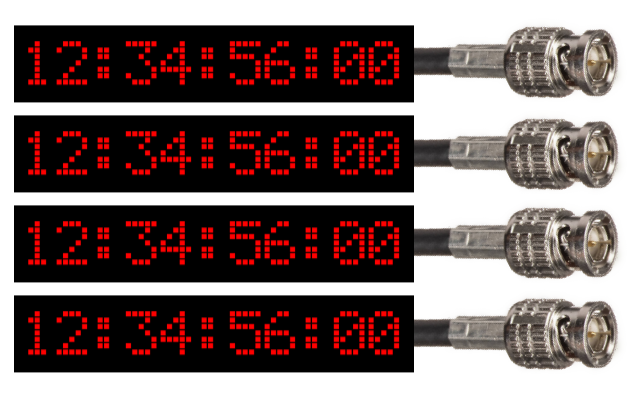
By superimposing VITC or LTC timecode on SDI signals, SyncVV uses predefined timecode commands to perfectly align the first and last frames of every recorded channel. Multiple SyncVV units running in parallel stay in lock-step via broadcast trigger signals, enabling scalable multi-system deployments. This eliminates head-alignment work in post-production, dramatically improving efficiency in large-scale workflows.
Seamless Post-Production Pipeline
SyncVV saves project files in open JSON format, making workflow automation straightforward. Export take lists to Microsoft Excel with embedded thumbnails, share projects via NAS or cloud file-sharing services, and copy selected footage to external storage with SHA-256 integrity verification. Every step from recording to delivery is designed to keep your content moving without manual intervention.
How v2.0 Transforms Studio Work
Greater layout flexibility makes your daily workflow more comfortable
Customize Your Workspace
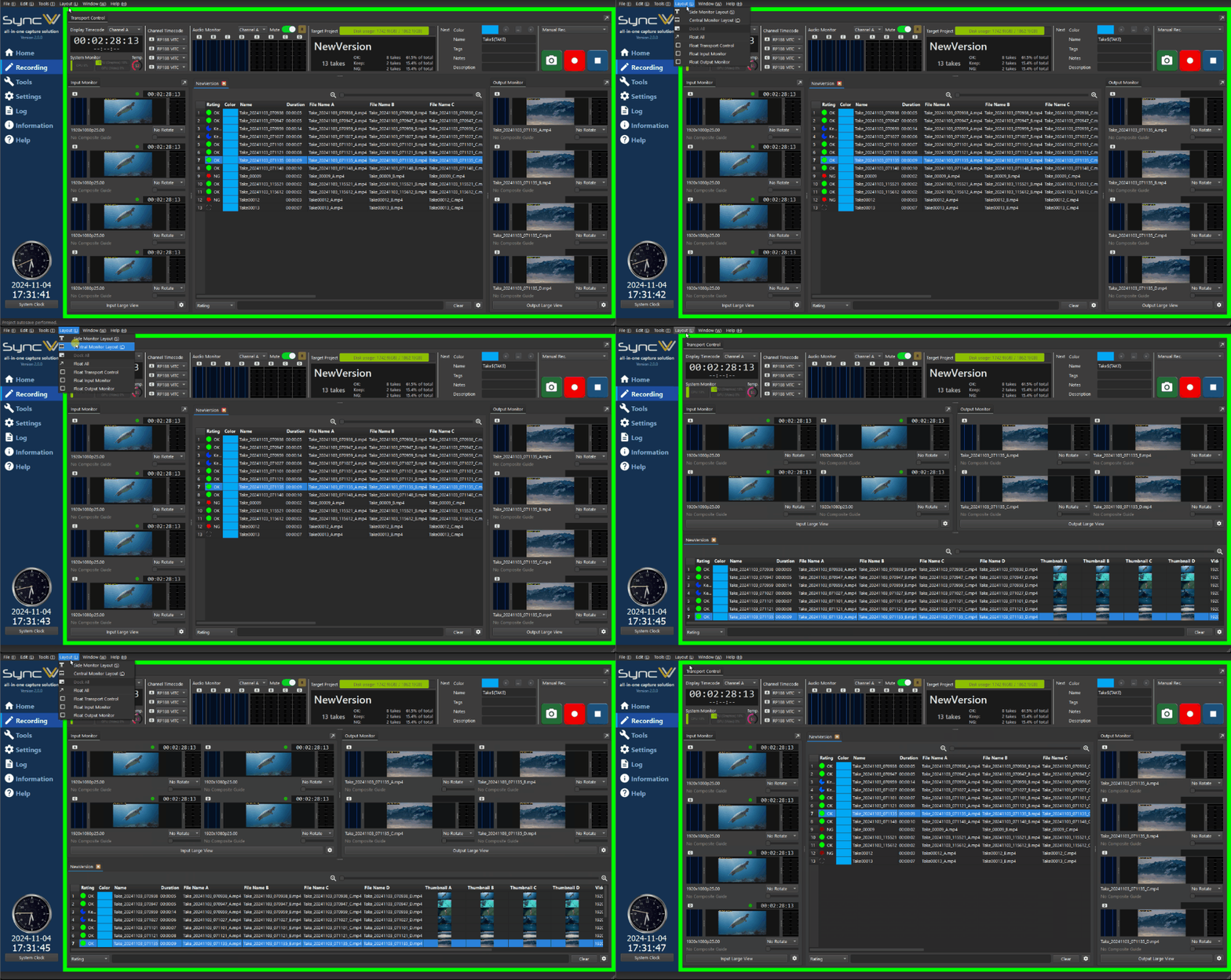
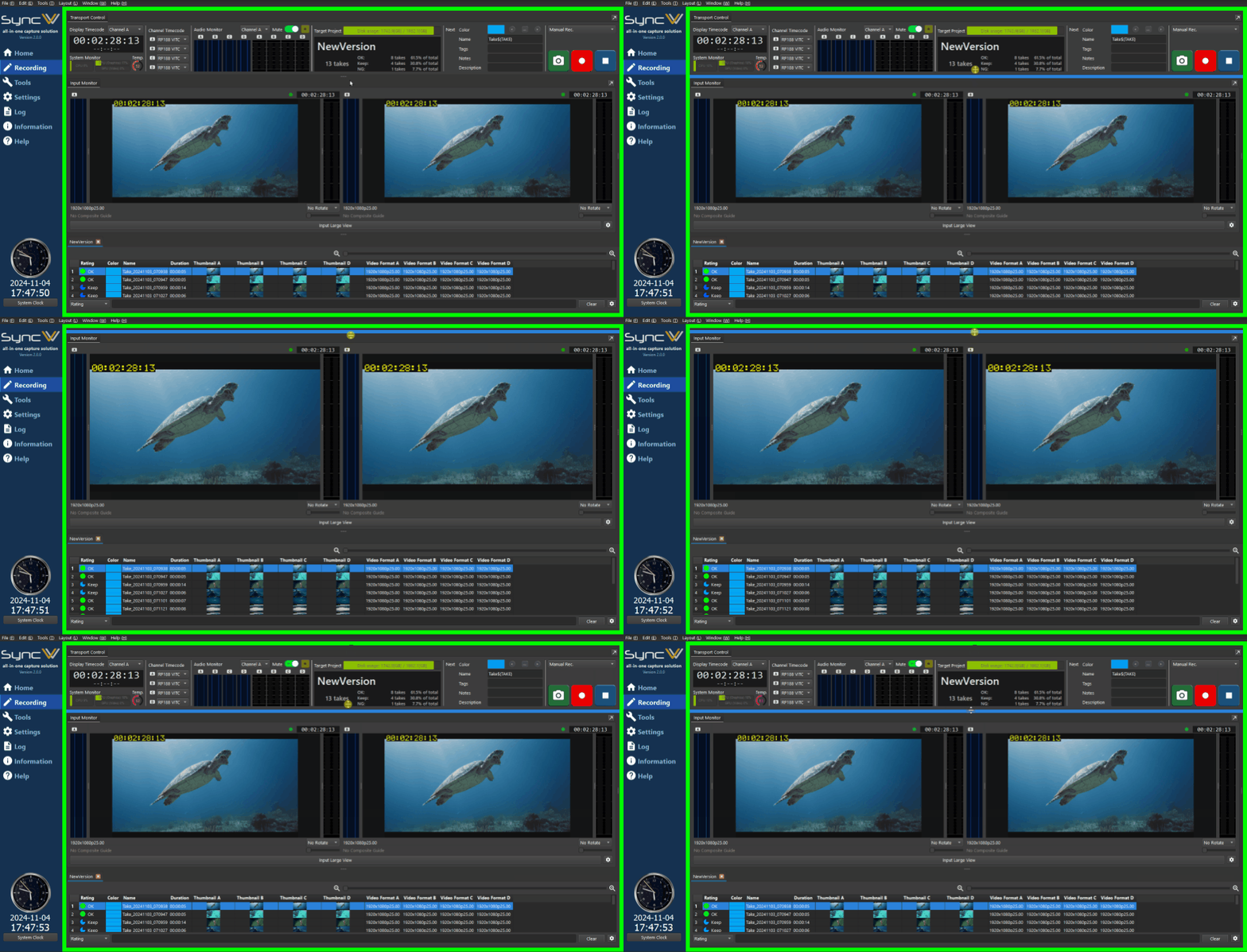
Choose between two layout options — Side Monitor and Central Monitor — and freely resize elements with the mouse. You can now configure the screen to match each studio's operational style, giving you the comfort and confidence of working in your preferred setup.
See What Matters Most, Larger
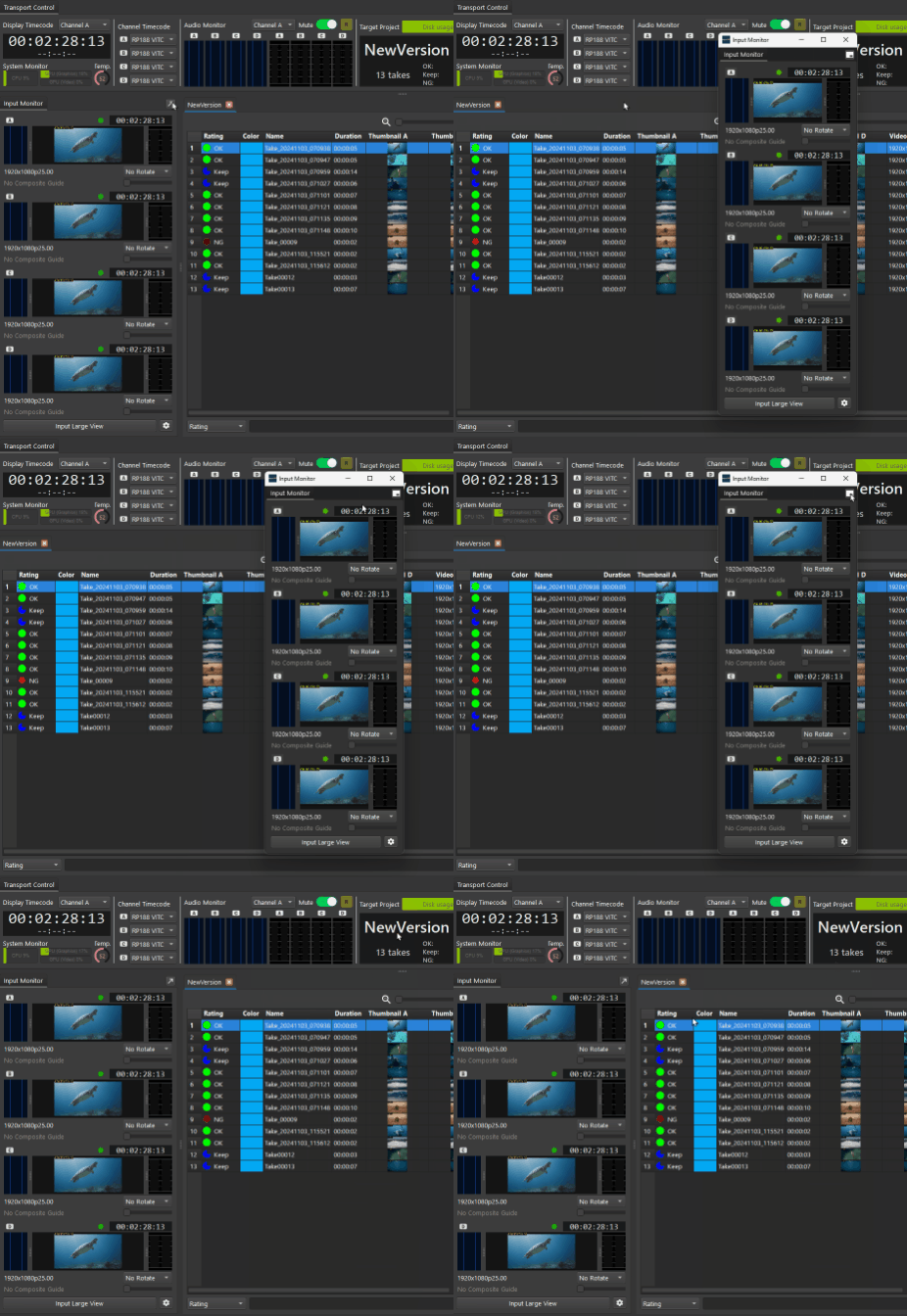
Select which channels to display on your monitors and show only the cameras you need at a larger size. With the new floating monitor feature, you can also view critical feeds in independent windows. Eliminate the worry of "did I miss something?" during shoots and stay focused with confidence.
Declutter Your View, Focus on the Task
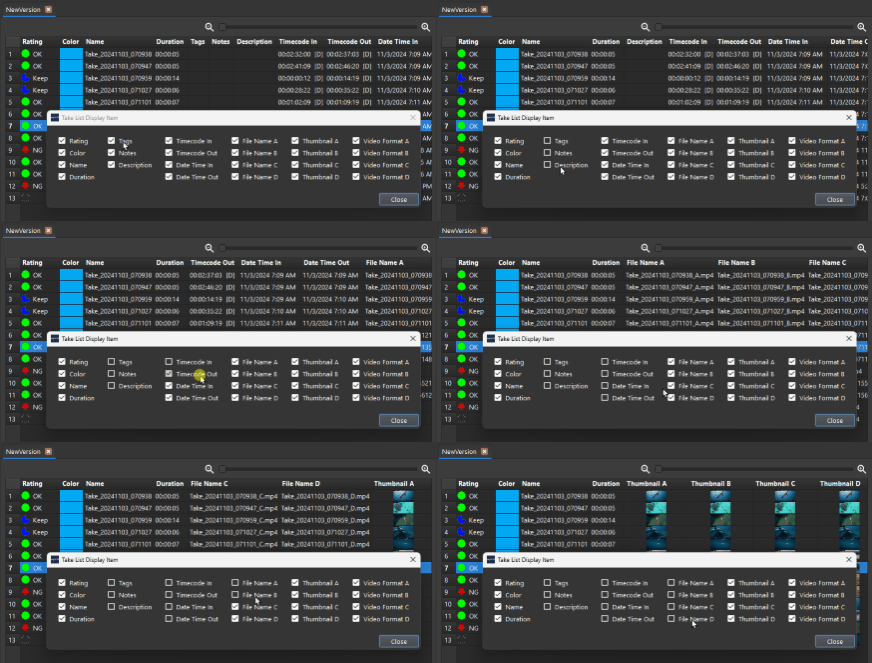
Show or hide the transport control, fold input/output monitors away, and customize which columns appear in the take list. Only the information you need stays on screen, reducing fatigue from information overload and helping you maintain focus during long shoots.
Smoother Post-Shoot Workflow
Filtering results from the take list can now be passed directly to the export function, letting you quickly select only the takes you need and deliver them to post-production. Take name tag insertion has also been added, reducing manual errors and effort for a smoother post-shoot workflow.
Recording Status Visible from Anywhere
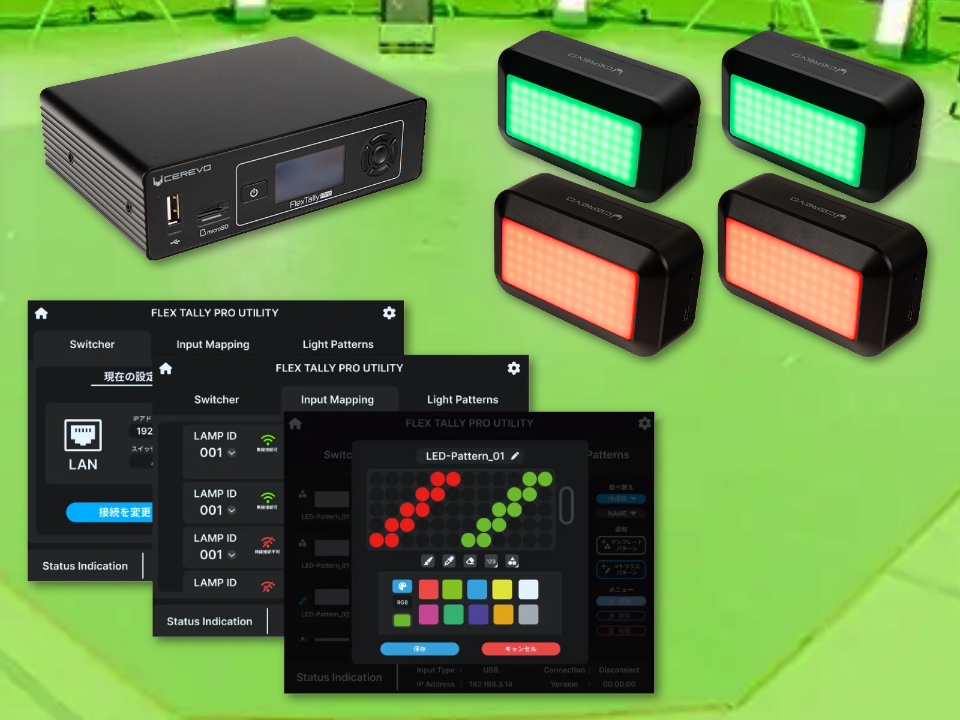
With FlexTally Pro support, physical tally lamps can now display the system's recording status. Even staff who cannot see the monitor know at a glance whether recording is in progress. This improves situational awareness across the entire team and makes on-set communication smoother.
Keep the Pace Between Takes
A significantly improved HEVC encoder core reduces the wait time from stopping one recording to starting the next. On shoots that demand consecutive takes, you can move into the next take without breaking the flow.

Detailed Features
Everything you need to know about SyncVV capabilities
System Architecture
SDI Input & Real-Time Encoding
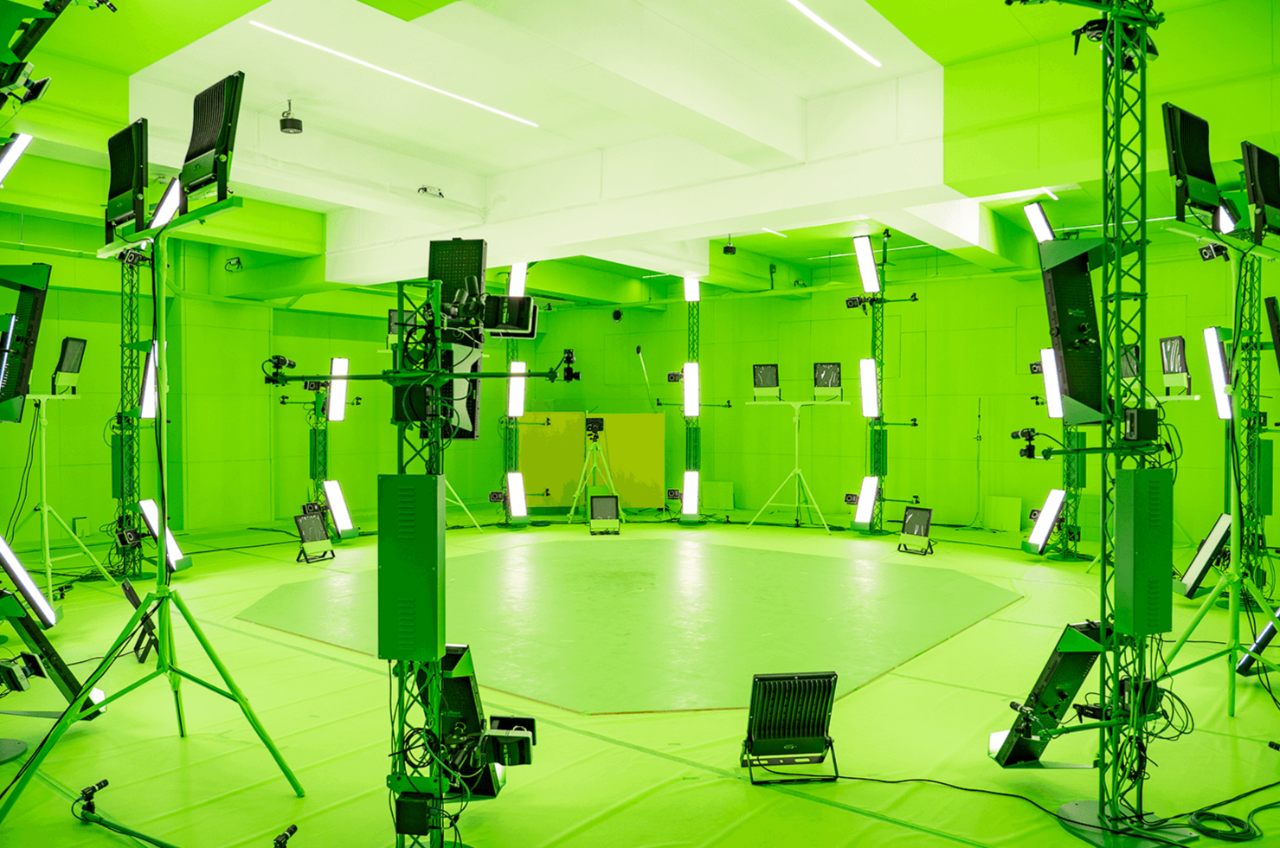
SyncVV records up to four channels of SDI video, encoding each in real time to H.265 MP4 files. Output material is ready for post-production seconds after recording stops, creating a production environment of a different dimension around your studio.
Various Input Video Formats
SyncVV supports a wide range of input video formats including 2048x1080 and 1920x1080 progressive from 60p to 23.98p, 1920x1080 interlaced at 60i/50i, and 1280x720 from 60p to 23.98p. Progressive segmented frames are also supported.
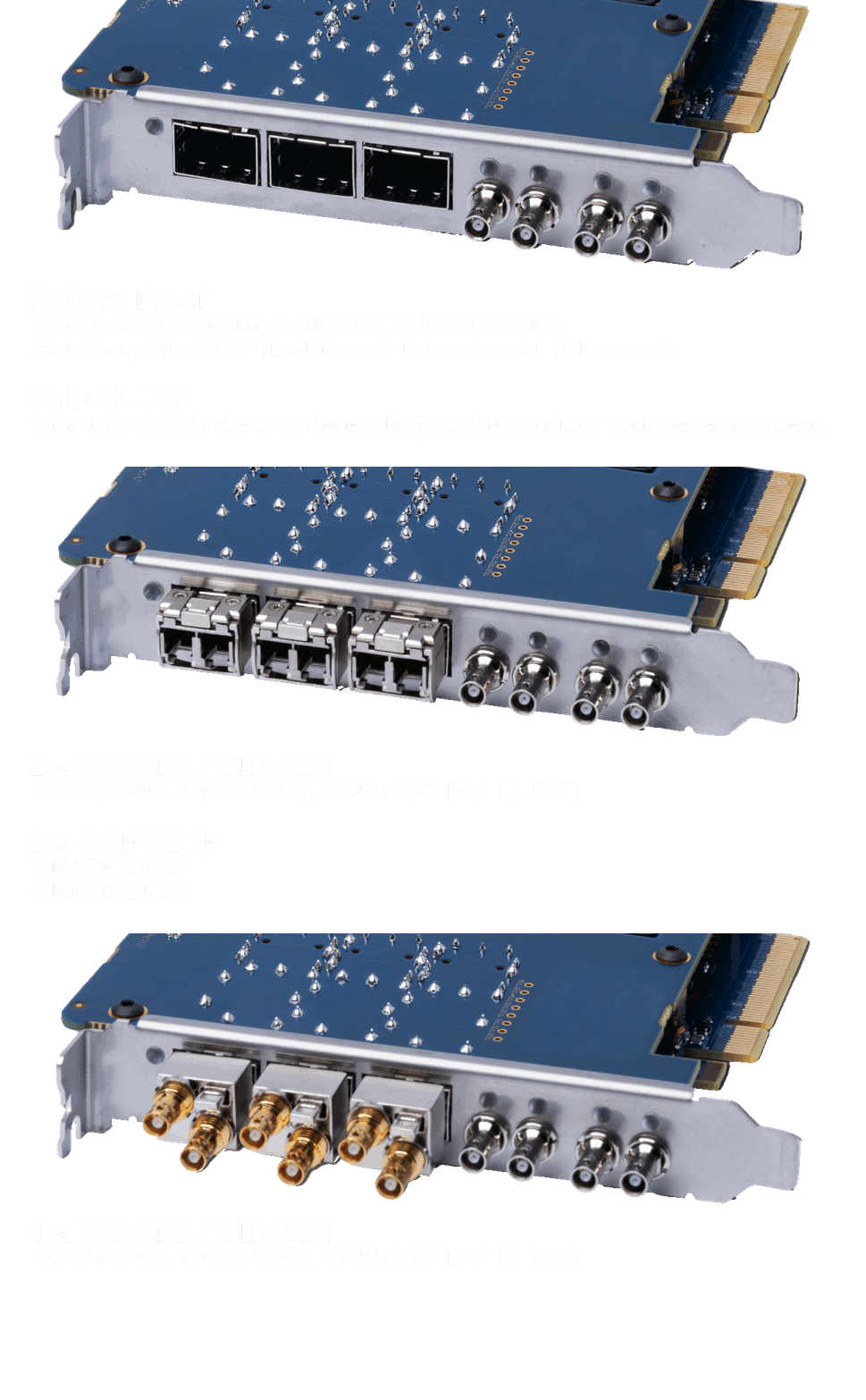
SMPTE ST 2110 / ST 2022 IP Interfaces
In addition to traditional 3G-SDI/HD-SDI, SyncVV supports SMPTE ST 2022 and ST 2110 IP standards. Hybrid SDI and IP input enables flexible many-to-many camera connectivity via network switches, future-proofing your studio infrastructure.
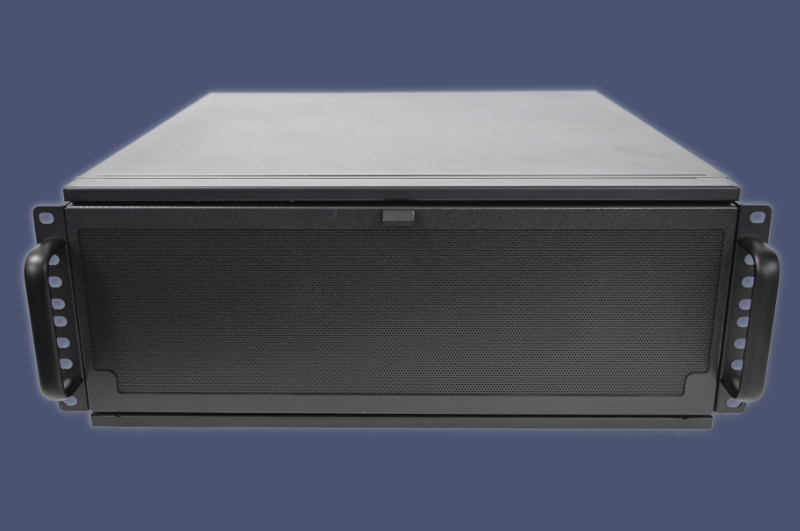
Dedicated Hardware Enclosure
The rack-mountable hardware chassis features a high-performance professional-grade motherboard, status LEDs for instant monitoring, and a newly developed easy-to-open front panel. Configuration is tuned by engineers familiar with SyncVV software for maximum stability.
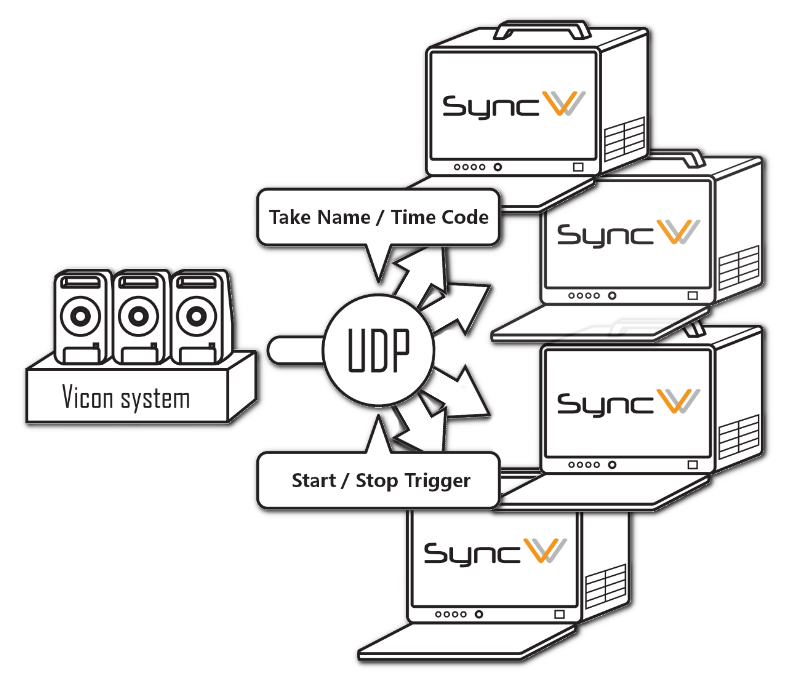
Channel Expansion via Parallel Units
Scale beyond four channels by operating multiple SyncVV units in parallel. Recording trigger signals from the Vicon system control all units in tandem, and timecode synchronization ensures perfectly aligned head frames across every machine.
Recording & Playback
High-Quality Real-Time Encoder
SyncVV's professional-grade encoder simultaneously performs real-time H.265 encoding of four video and audio channels while capturing baseband SDI signals. This core design delivers both high real-time performance and high-quality output for mission-critical recording.
Shooting and Playback
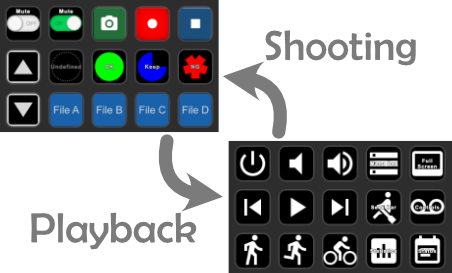
SyncVV provides full support from recording to immediate review. One-touch playback control, frame-by-frame advance, constant-speed, slow, and fast-forward playback modes let you confirm footage the moment it is captured.
Multi-Channel Playback
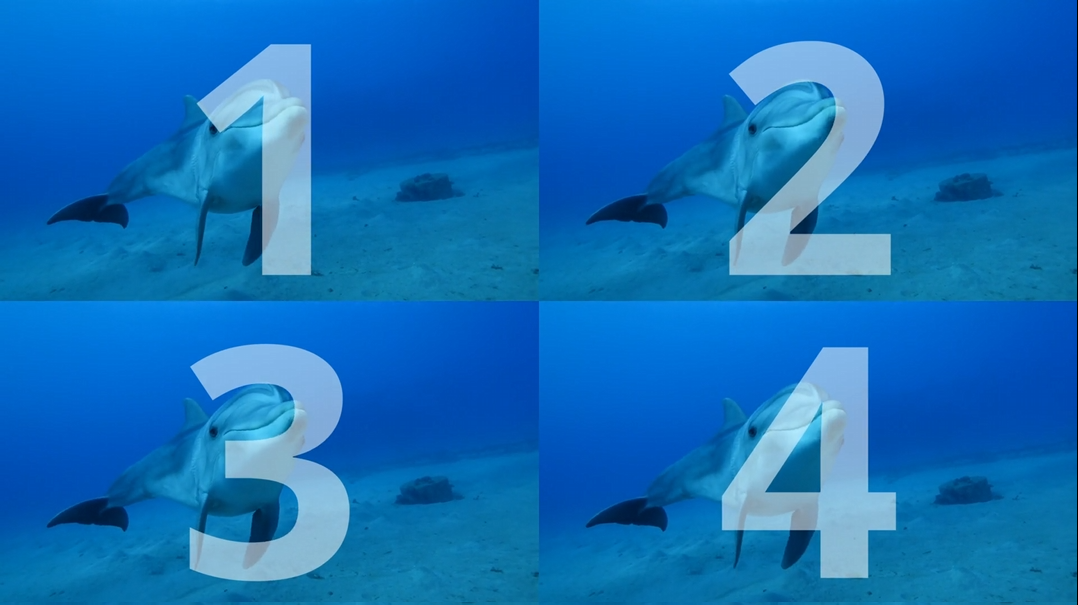
Play back multiple channels of recorded video in perfect synchronization. When reviewing subjects shot from various angles, multi-channel playback lets you compare all camera feeds simultaneously, saving significant review time.
Tally Display
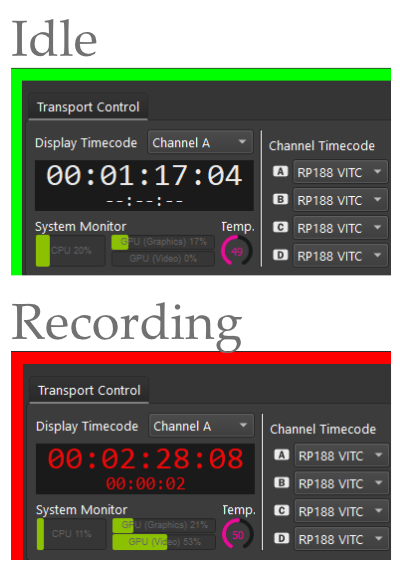
SyncVV features highly visible tally indicators: red during recording, green when ready. In multi-system environments, these at-a-glance status displays greatly reduce operational workload. Tally visibility can be toggled off in settings when needed.
Transport Control
The transport control screen condenses timecode display, audio waveform monitor, audio level meter, project information, take count, and statistics into a single view. Check complete system status at a glance without moving your eyes across multiple screens.

Recording Safety
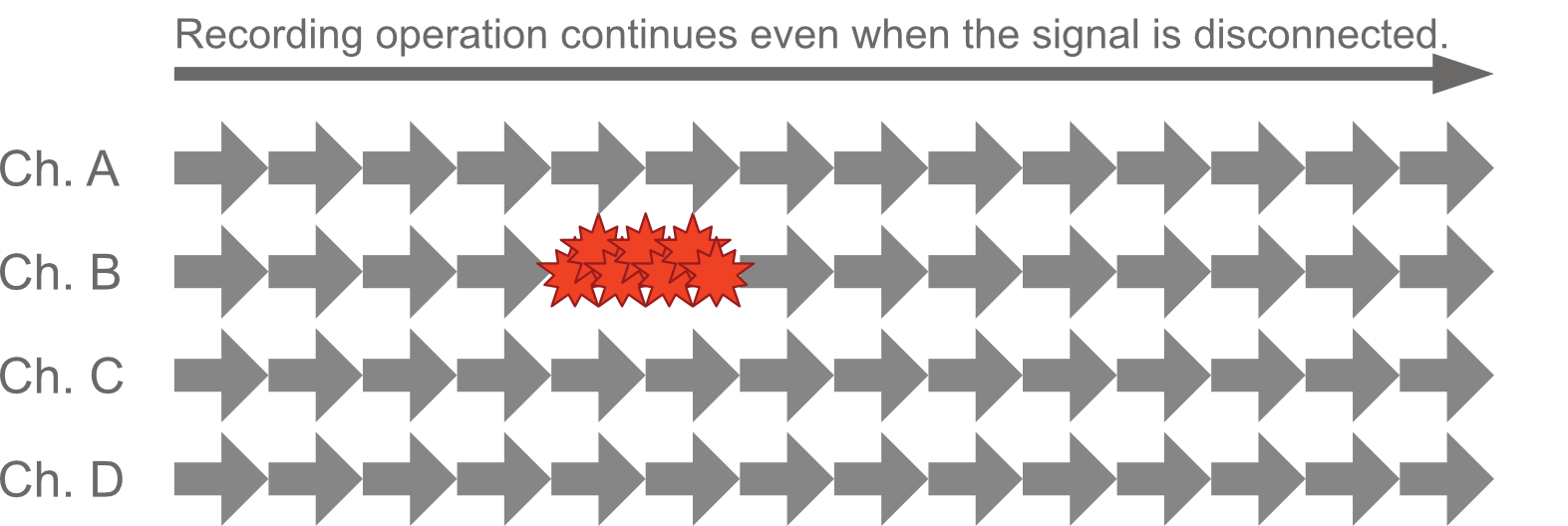
SyncVV continues recording even when an SDI line failure occurs. Invalid frames are discarded while recording proceeds, and capture resumes normally when the line is restored. Color bars are inserted at disconnection points for easy detection in post-production.
System Monitor
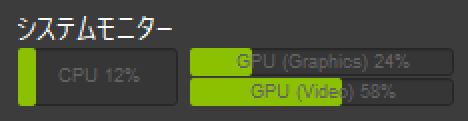
CPU and GPU utilization are displayed as concise graphs in the transport control section. This real-time monitoring reduces the effort of checking hardware, OS, driver, and application status in complex production environments.
Content Management
Content Management System
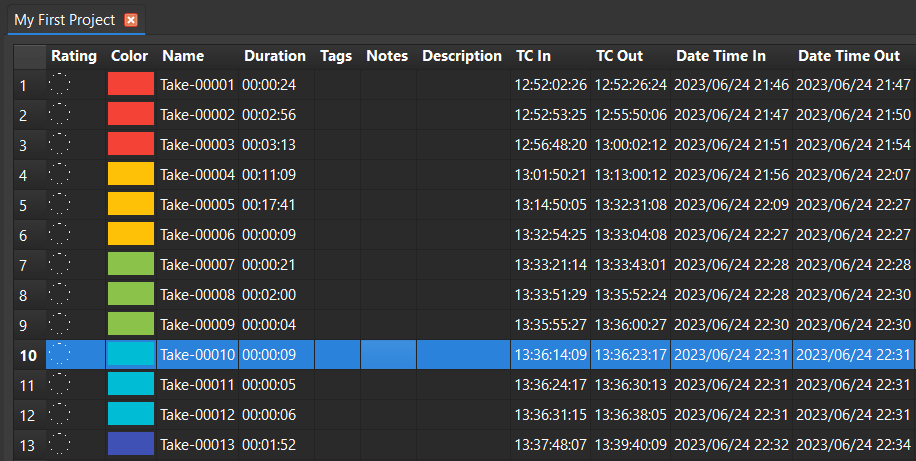
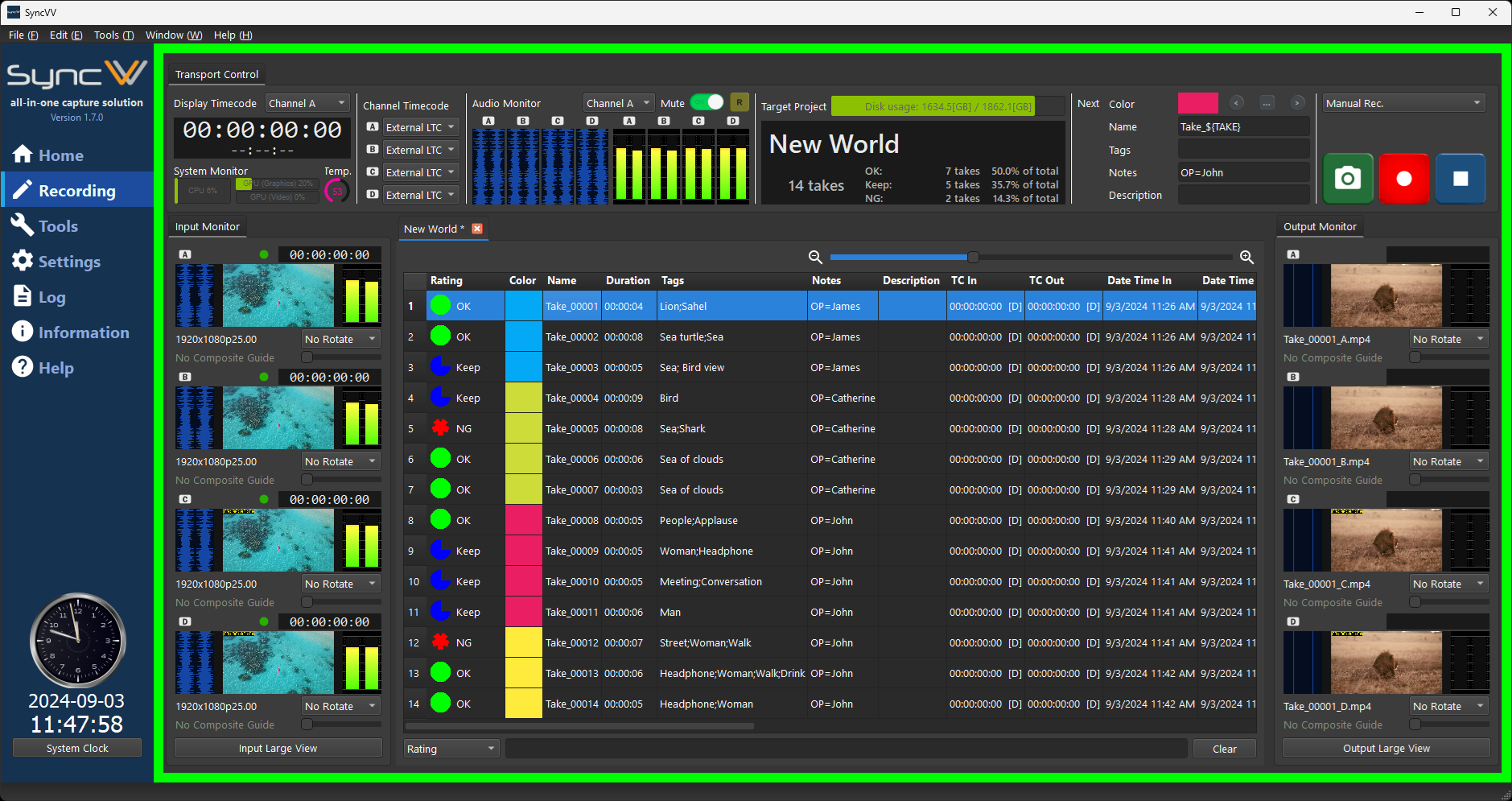
SyncVV's built-in CMS provides an orthogonal, easy-to-read take list showing all parameters at a glance. Color-code takes for visibility, manage metadata, and start delivering material to post-production immediately after a day's shoot.
Take Rating
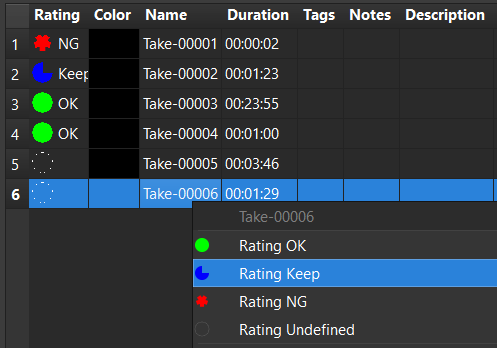
Categorize recorded takes with ratings such as OK and NG directly on set. Ratings are displayed with clear icons, and the search system lets you list only takes matching a specific rating for fast sorting.
Project Metadata
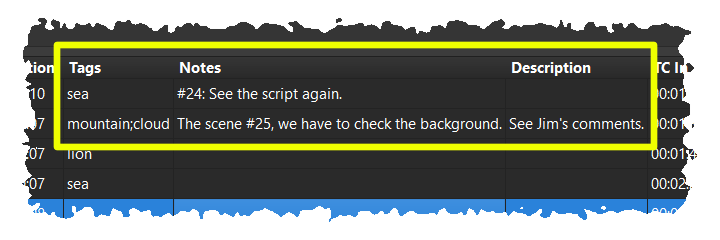
Add tags, notes, and detailed descriptions to any take, even while recording is in progress. This metadata flows through to JSON project files for workflow automation, seamlessly transferring on-set information to post-production.
Filtering & Search
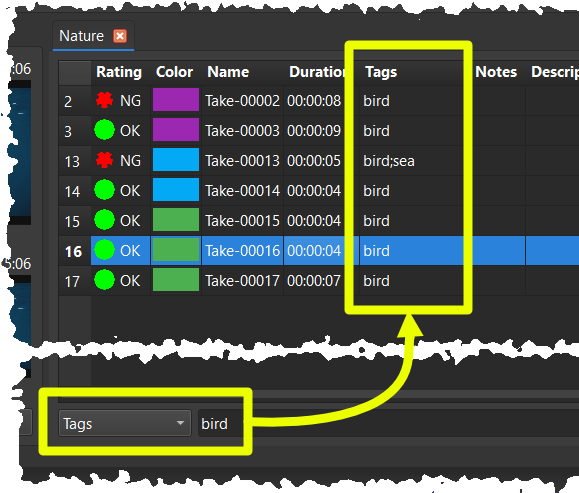
Narrow down a large take list in real time by entering keywords. Filter targets can be freely selected across tags, recording times, and other take information, making it easy to locate specific content among hundreds of takes.
Thumbnail View
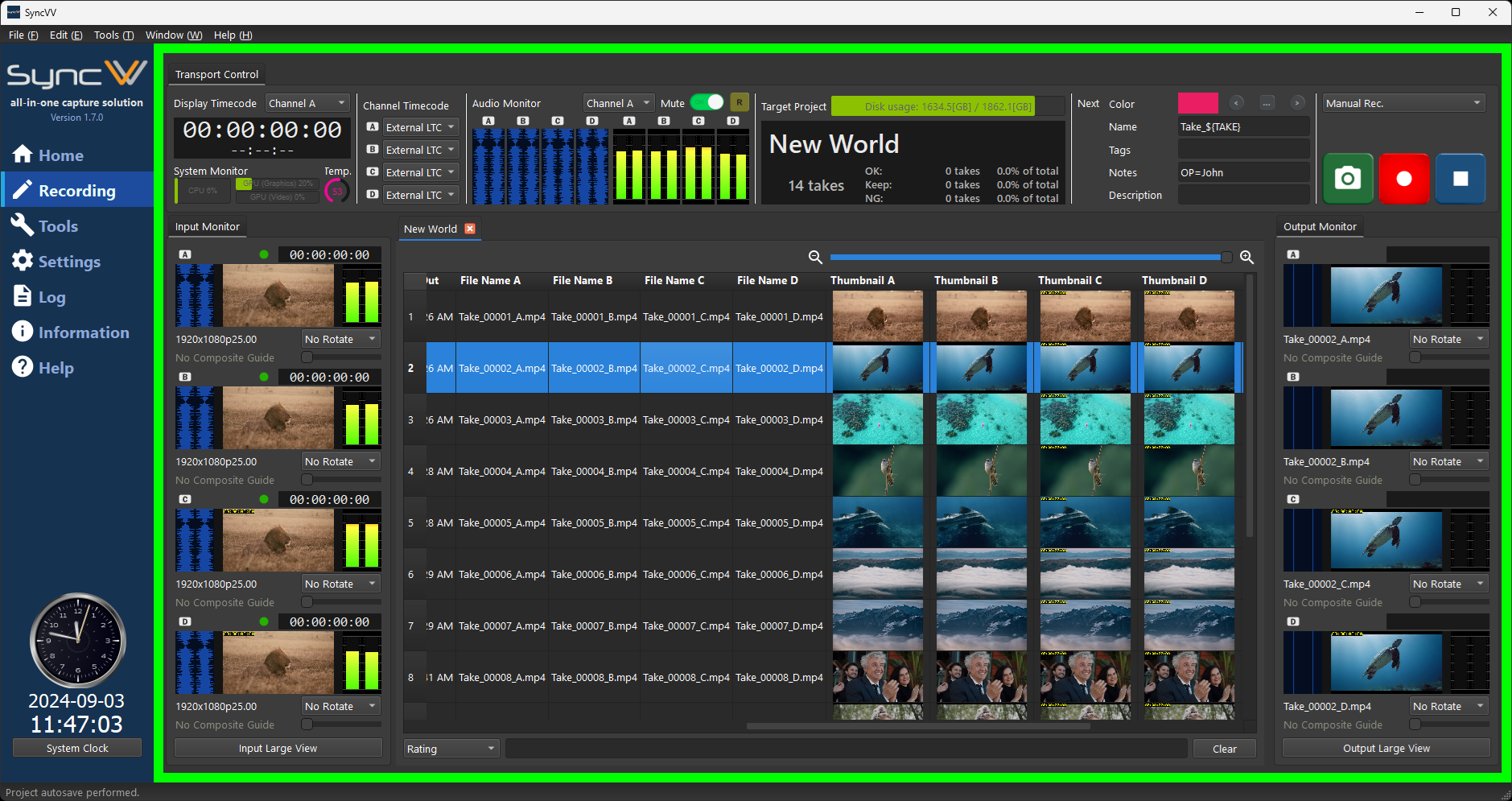
Thumbnail images of recorded material appear directly in the take list for instant visual identification. A slider lets you dynamically resize thumbnails to suit your preference and workflow.
Export to External Storage
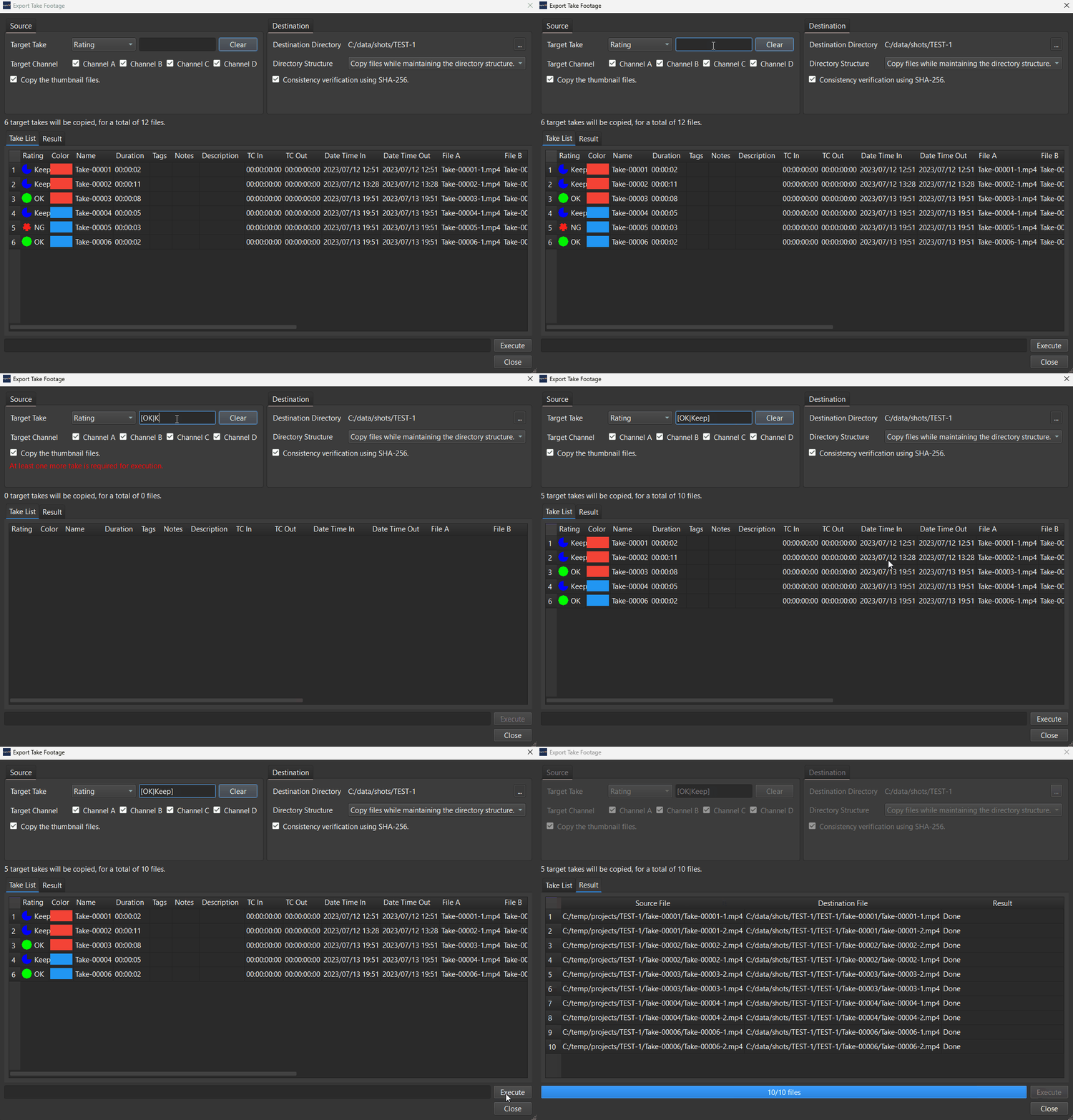
Export selected takes to external storage with a single operation. Filter the take list by keywords to narrow the export set, then copy only the matching material files. SHA-256 hash verification ensures file integrity after every copy.
Excel & Google Sheets Export
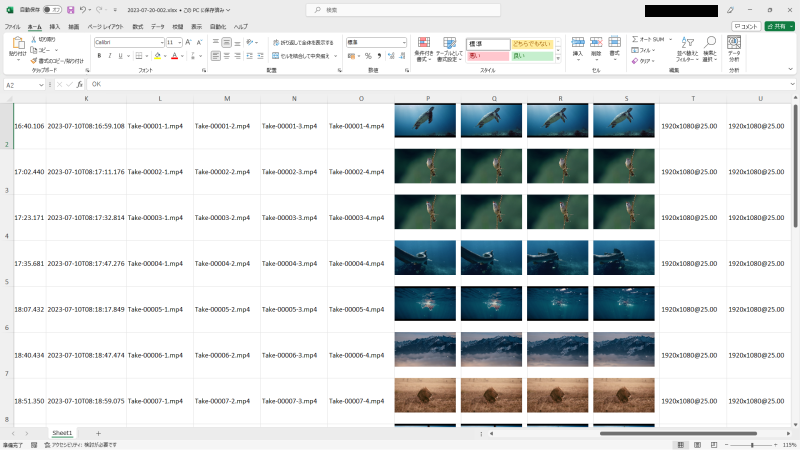
Export the take list to Microsoft Excel format (xlsx) complete with video thumbnails, without requiring Excel to be installed. The exported file can then be uploaded to Google Sheets for cloud-based team collaboration and take review.
Still Image Capture
Save any frame of input video as a still image with a single click. Captured stills are managed as take items in the take list, useful for scenery shots, clapperboard records, and quick reference frames.
Timecode
Timecode Recording Trigger
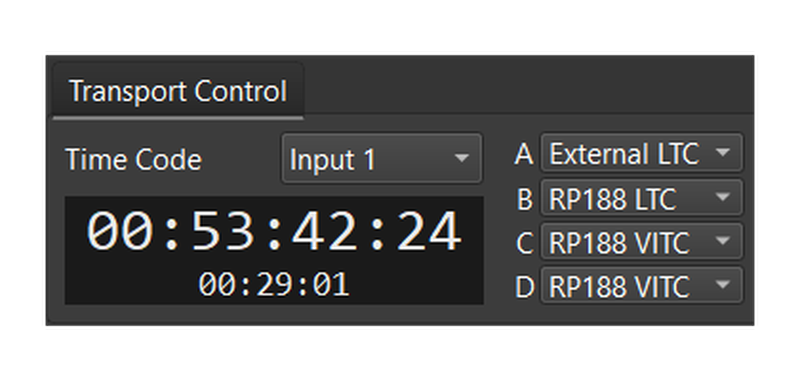
Superimpose VITC or LTC on SDI signals and use predefined timecode commands to start and stop recording with frame-perfect accuracy. This also works with Vicon system triggers, enabling fully automated recording across multi-device motion capture setups.
VITC / LTC / External LTC Support
Choose from three timecode sources: per-channel VITC or LTC, or system-wide External LTC. Any channel from A to D can serve as the timecode source, allowing flexible configuration to match your studio setup.
Timecode Burn-In
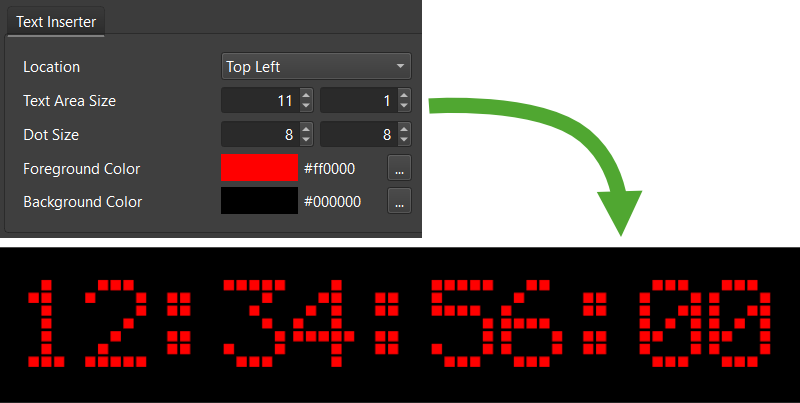

Overlay timecode values directly into the video frame in real time during recording. This ensures timecode information is always visible in the output file, simplifying multi-channel time-axis management in post-production.
Burn-In Position & Size
Select from nine display positions and adjust text size in single-pixel increments, down to a minimum of 66x8 pixels. Settings are configured per channel, enabling different burn-in layouts across your four inputs.
Manual Recording Timecode
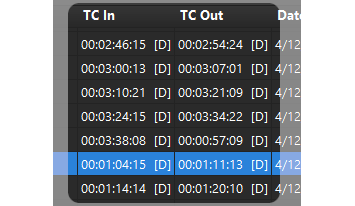
During manual recording, the display timecode value is inserted into take information automatically. A [D] symbol distinguishes manual recording entries from timecode-triggered ones for clear identification in the take list.
Interface & Preview
Screen Layout
SyncVV's dark interface is designed for dimly lit studios. Input video is displayed on the left, previously shot material in the center, and thumbnails on the right. This intuitive layout reduces the cognitive load during hectic shoots.
Shortcut Keys
Perform common operations like setting take ratings, playback, and navigation entirely from the keyboard. Menu items now display their corresponding shortcut keys, eliminating the need to consult the manual.

Elgato Stream Deck Support
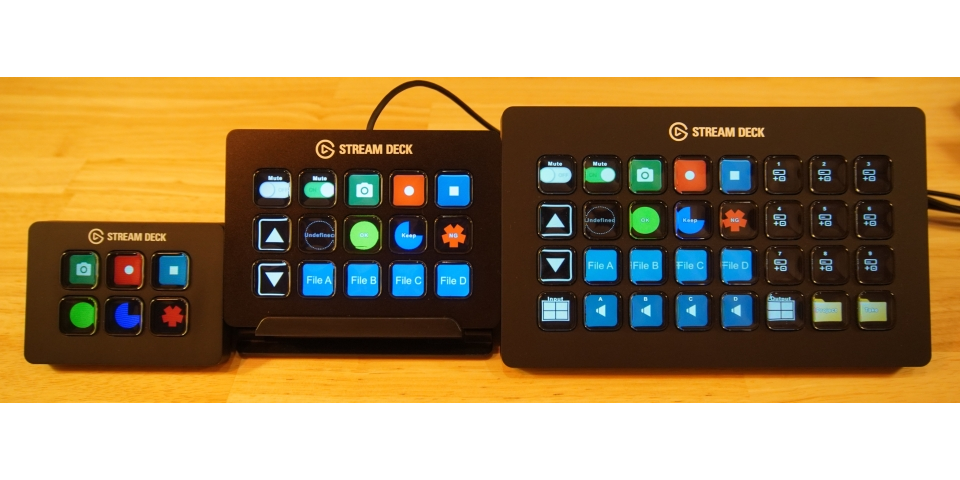
Use an Elgato Stream Deck for one-push operation of common tasks: navigate the take list, change ratings, play back recorded channels, and start or stop manual recording, all without touching the keyboard.
Large View Dialog
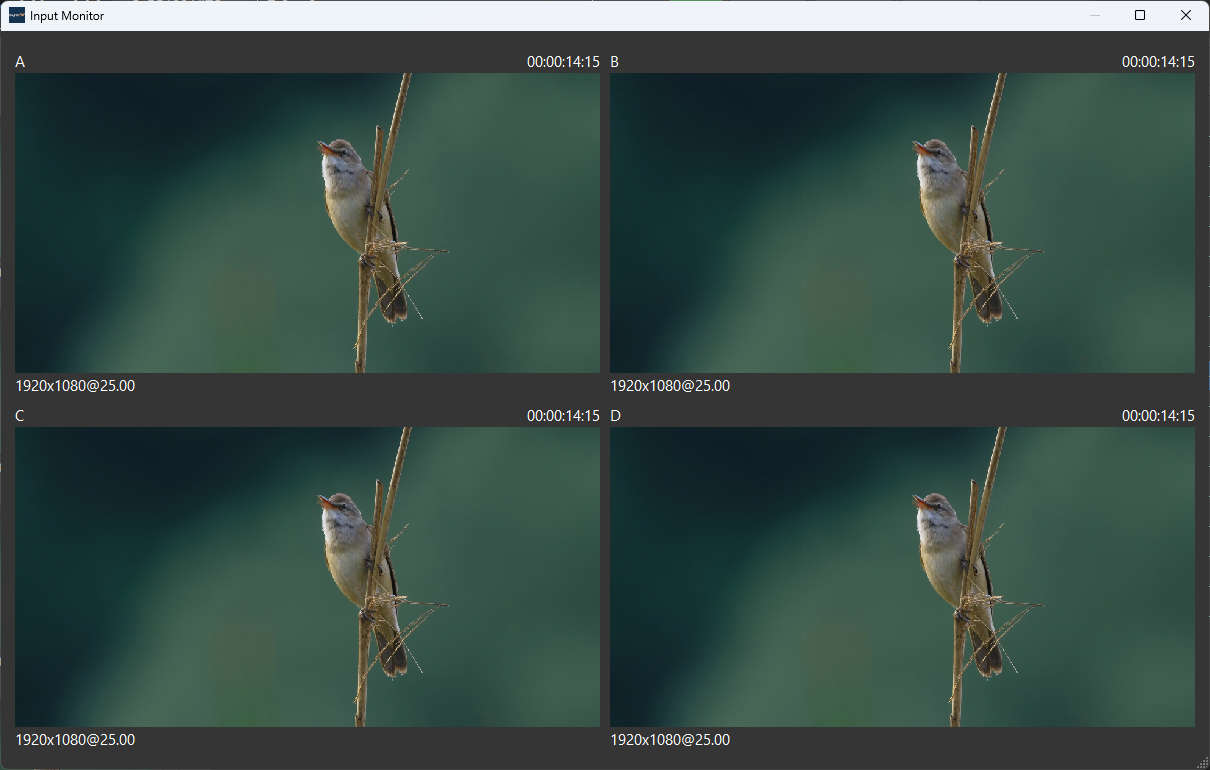
Display SDI input video on an extended monitor with the Large View Dialog. All four channels are shown in a tiled layout, allowing the director of photography to review images while the operator works on the main screen.
Video Rotation

Rotate the preview of any channel by 90, 180, or 270 degrees to match camera orientation. This is especially useful in motion capture environments where cameras are often mounted at non-standard angles.
Catch Continuity Errors On Set
Using patented technology, SyncVV overlays thumbnail images of past takes onto the current live input with adjustable transparency. This enables on-set comparison between takes to verify continuity and confirm that required content has been captured.
Built-In Documentation
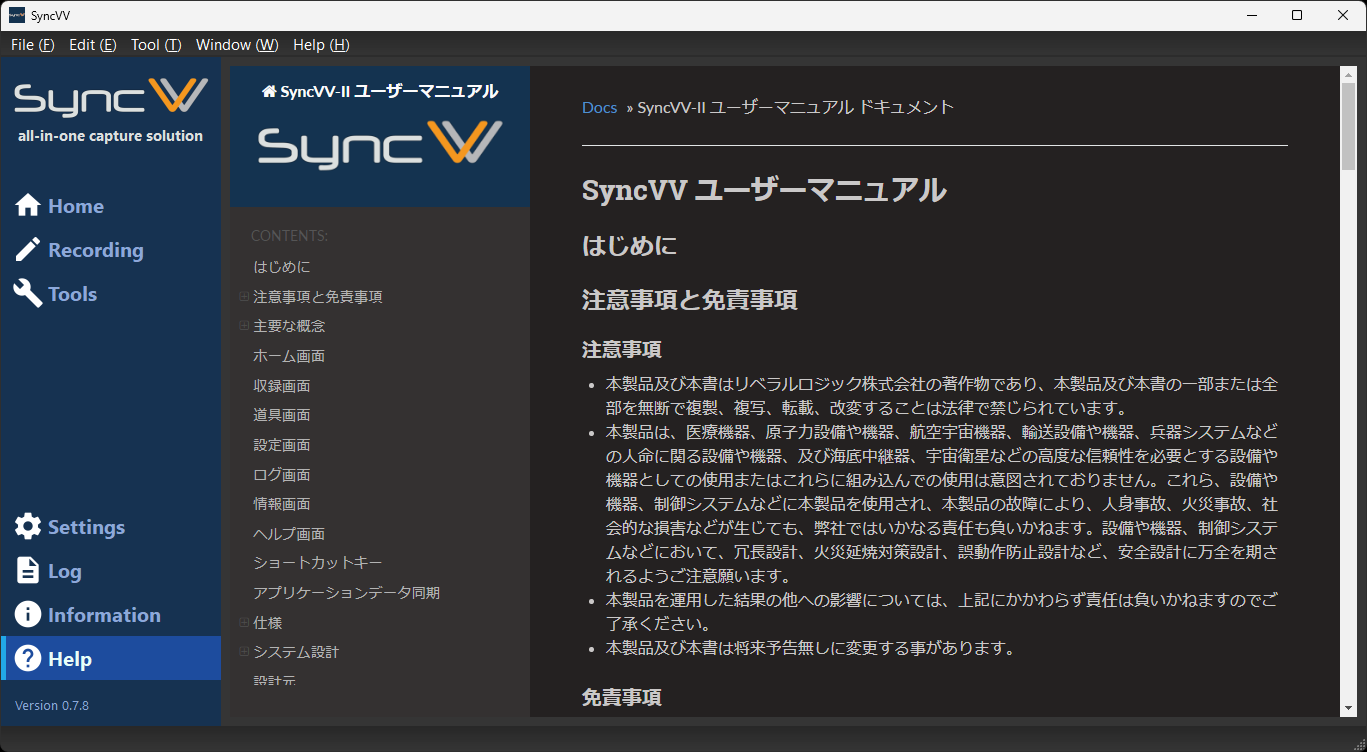
Access complete system and software documentation directly from SyncVV via a built-in browser, even in offline environments. Field operators can quickly reference detailed information between takes without needing an internet connection.
Audio Waveform Display
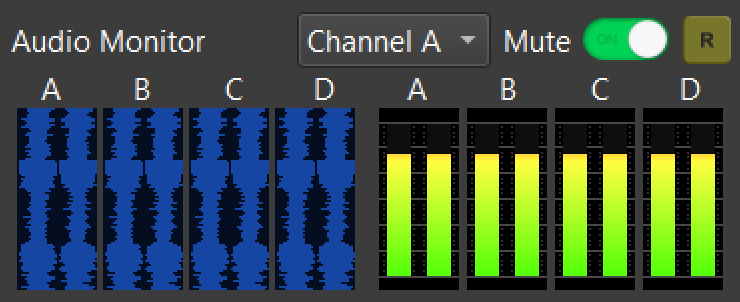
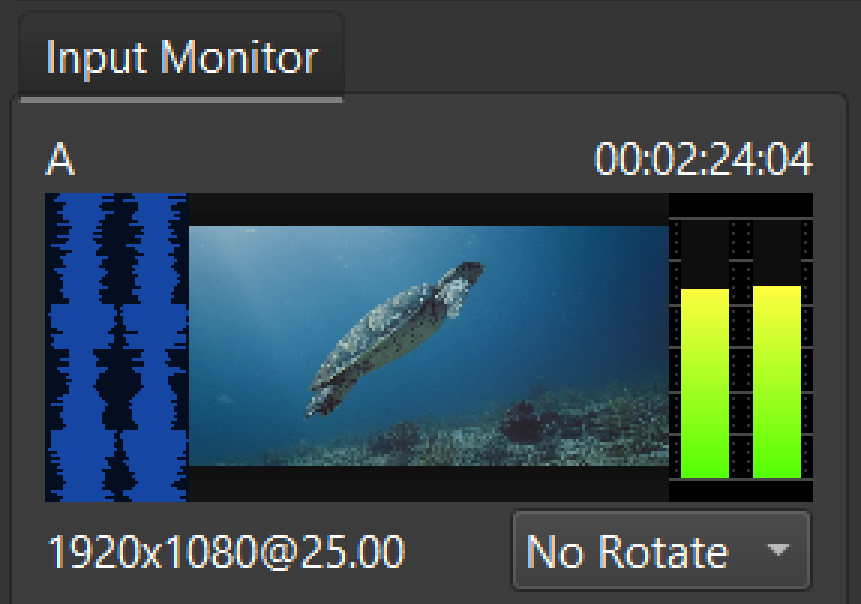
A vertical audio waveform display provides intuitive visual confirmation of SDI-embedded audio without requiring audio output. This is ideal for checking recording integrity on shoots where quietness is required.
Embedded Audio Monitoring
Output SDI-embedded audio through the system audio device, creating a monitoring environment that previously required dedicated hardware. Select which channels to monitor and use the mute function to suppress output during recording.